
Back to Installation Docs
PDF Solution
Adobe Acrobat Pro 2024
Installation & Activation Guide for Windows
Important
Close any running Adobe applications before starting the installation. For best results, run the installer as Administrator.
Download the Installer
Get the official ISO file
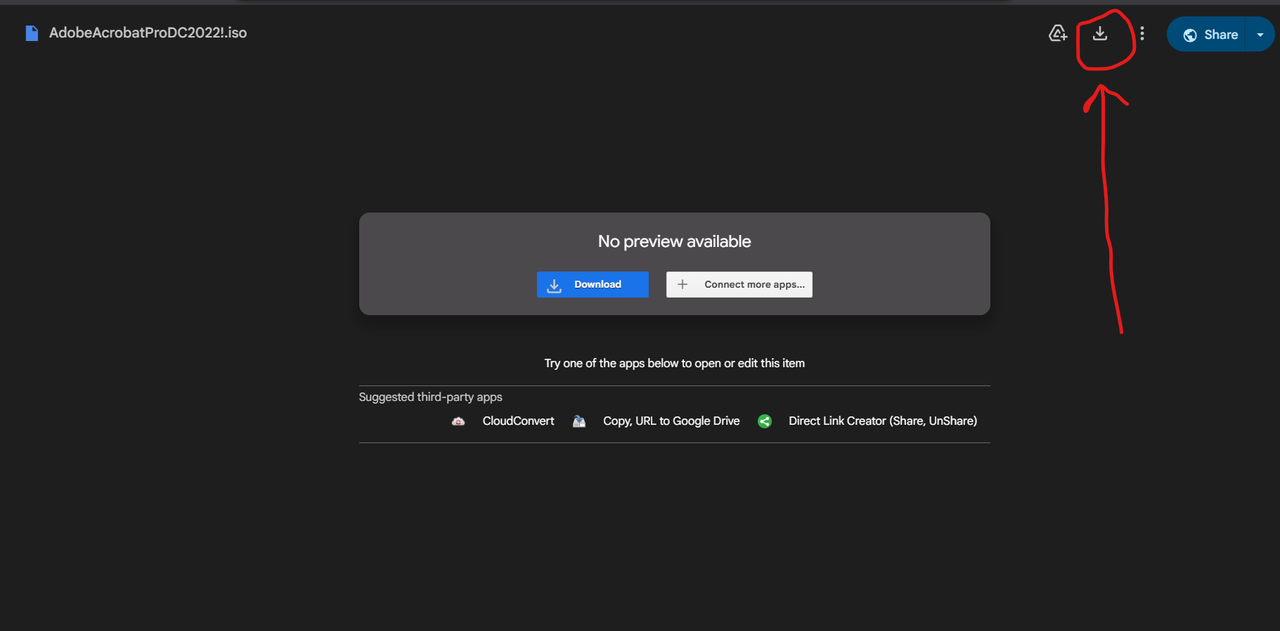
Download the installation file from the link provided in your order email or dashboard.
Filename: AdobeAcrobatPro2024.iso
Mount & Open
Access the installation files
- Navigate to your Downloads folder.
- Right-click the AdobeAcrobatPro2024.iso file.
- Select Mount from the context menu.
- The file will open as a virtual DVD drive in File Explorer. Open it.
Install the Software
Run the setup wizard
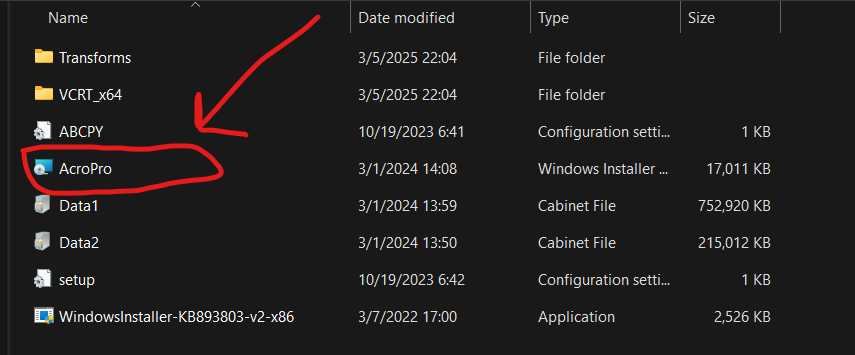
- Find and run Setup.exe from the mounted drive.
- Follow the on-screen instructions to proceed with the installation.
Activate with Serial
Enter your license key
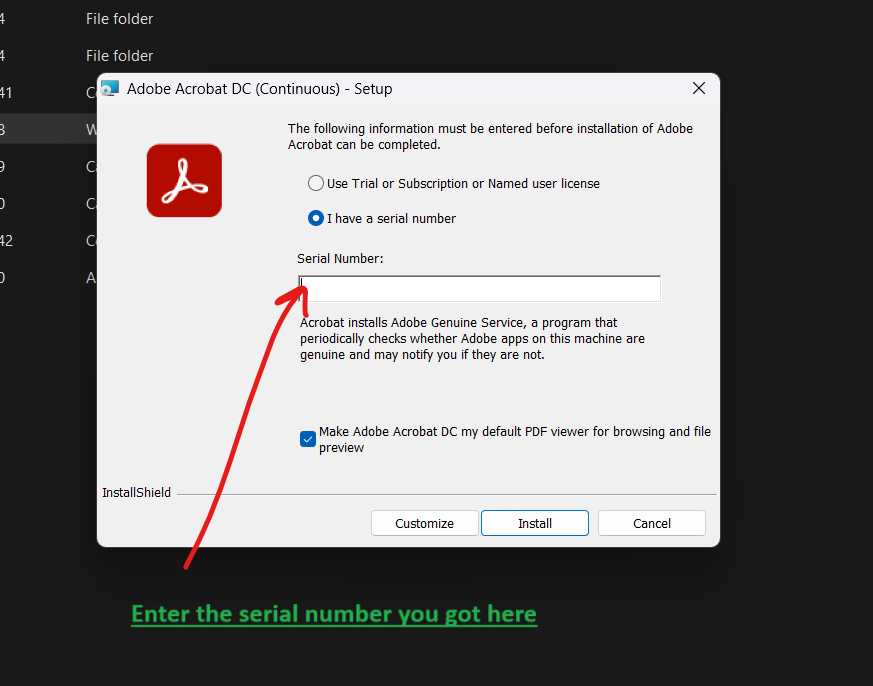
- When prompted, select "I have a serial number".
- Copy and paste the serial key required from your order.
- Click Install to begin the process.
Verify Activation
Confirm your license status
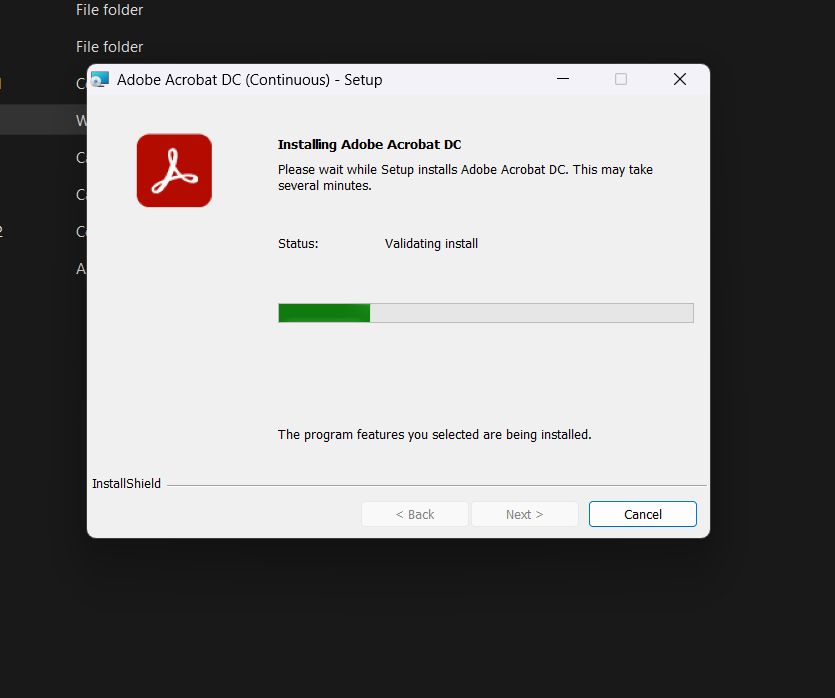
- Wait for the installation to finish and open Adobe Acrobat.
- Go to Help → About Adobe Acrobat Pro...
- Confirm that the product is activated.
- If not activated immediately, restart your PC and check again.
Frequently Asked Questions
How many devices can I use this on?
You can activate up to 3 devices per license.
What if I reinstall Windows?
Contact support with proof of purchase for re-activation within 30 days.