
MS OFFICE 2019 PROFESSIONAL PLUS
Follow these simple instructions for a smooth installation and activation on Windows.
Important
Please redeem the license within 7 days from date of purchase.
Remove Old Office Versions
Make sure your laptop/PC doesn't have any old Office version installed
Redeem & Install Office 2019
Sign in to your Microsoft account and redeem your license
- Login or create a Microsoft Office account
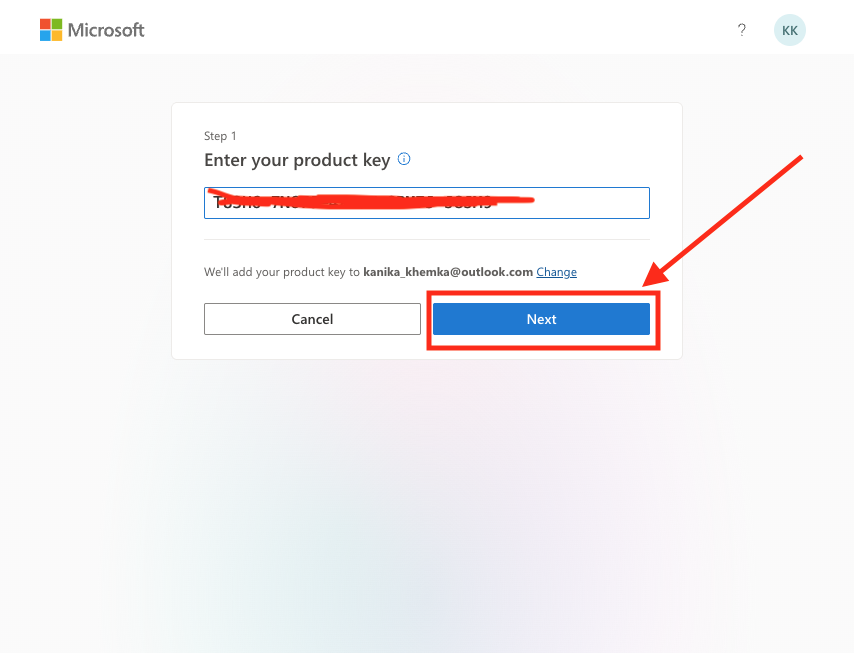
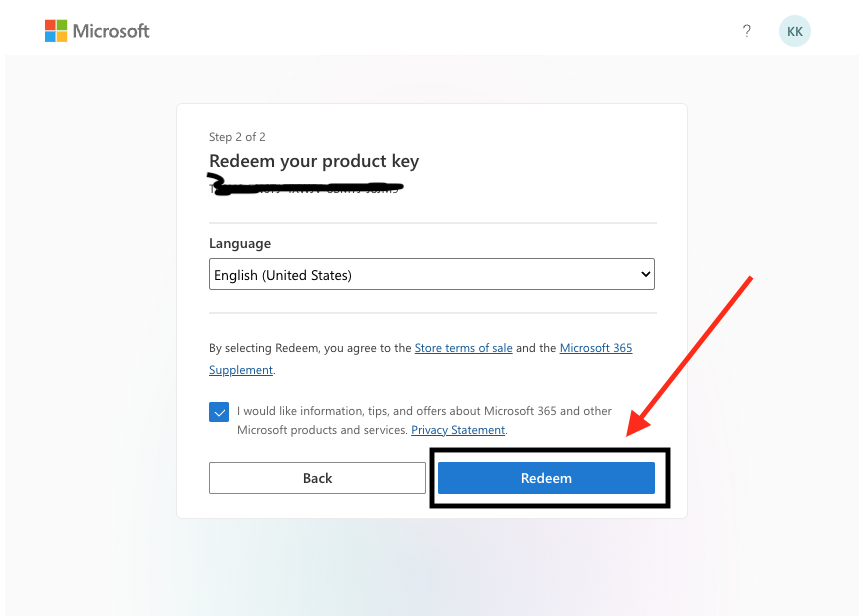
- Enter the Product License Key from your email → Click Next → Click Redeem
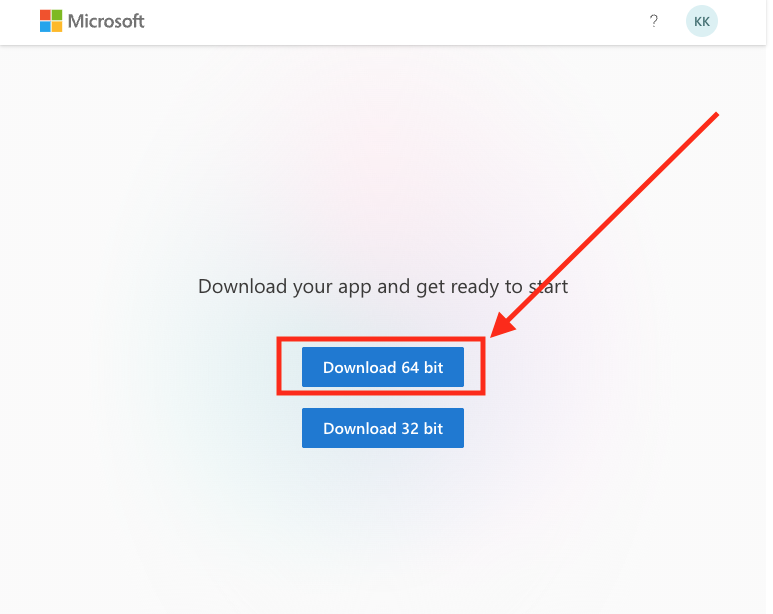
- Download Office 2019 by clicking Install (select 64-bit, generally systems are 64-bit)
- Run the downloaded "OfficeSetup.exe" file
- Wait until Office 2019 installation is completed
- Open any MS app like Word, Excel, PowerPoint, or Access (recommended)
IMPORTANT STEPS (Follow Carefully for Activation)
Your software will NOT be activated unless you follow each instruction carefully.
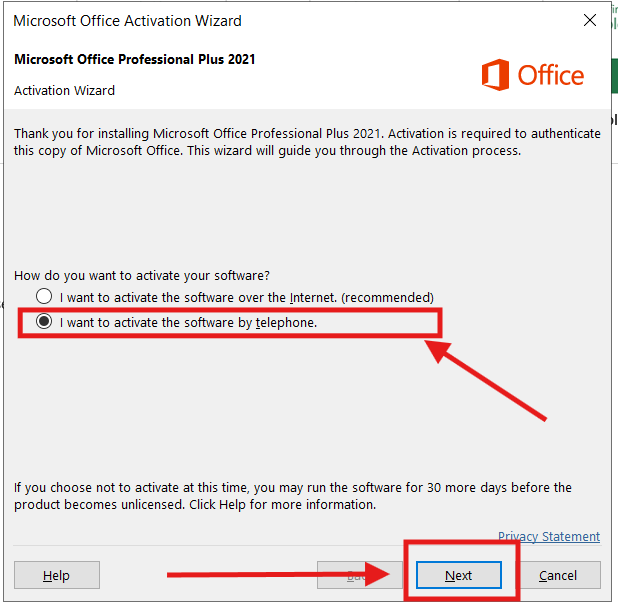
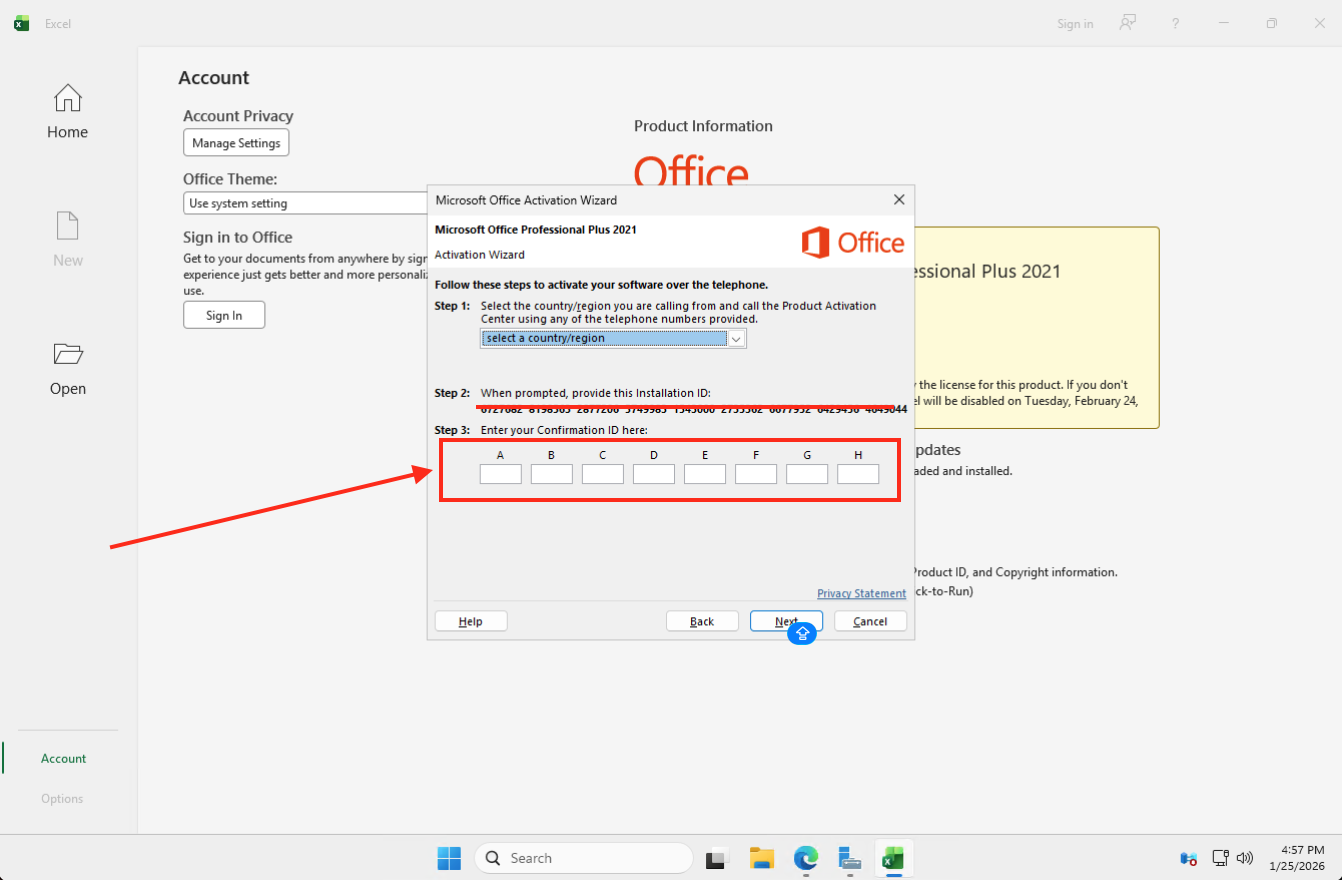
Activation Wizard will appear → Click on "I want to activate the software by telephone" (DO ONLY THIS) → Click Next
- Enter your Installation ID
- Enter your Secret Code from the email
Click ACTIVATE button on the website to generate Confirmation ID. Wait for 2-3 minutes.
After the Confirmation ID is generated, enter it inside your MS application column by column to activate your Office 2019.
Voila! Office 2019 Activated!
Your MS Office Suite Professional Plus 2019 will be activated.
Register for FREE Warranty
Get lifetime technical support & reinstallation support