
MS OFFICE 2021 PROFESSIONAL PLUS
Follow these simple instructions for a smooth installation and activation on Windows.
Get Your License Key (Mandatory)
Generate your Office 2021 license key from the activation page
Before Installation
Ensure no older Microsoft Office version/trial is installed
Redeem & Install
Sign in to your Microsoft account and redeem your license
- Sign in (or create) your Microsoft account
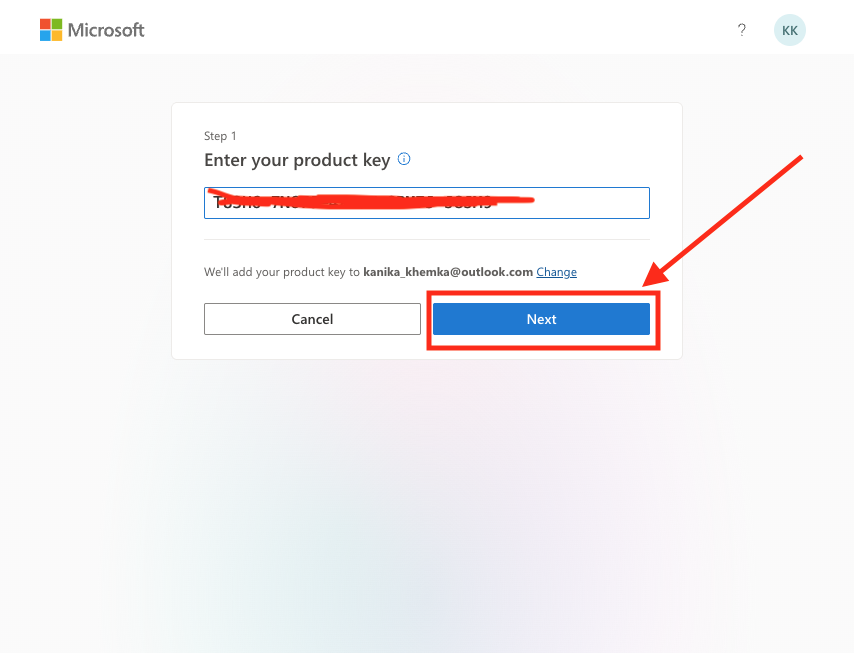
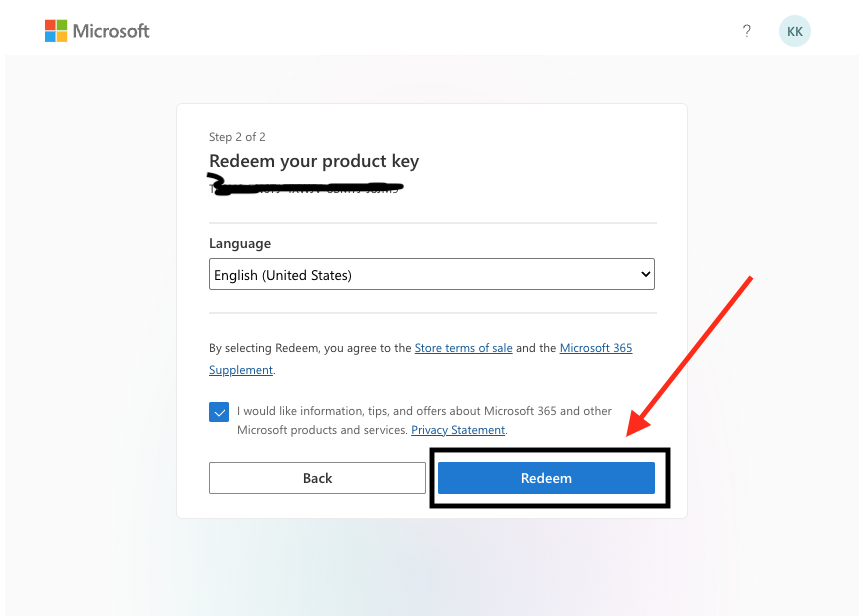
- Enter the generated license key → Click Next → Redeem
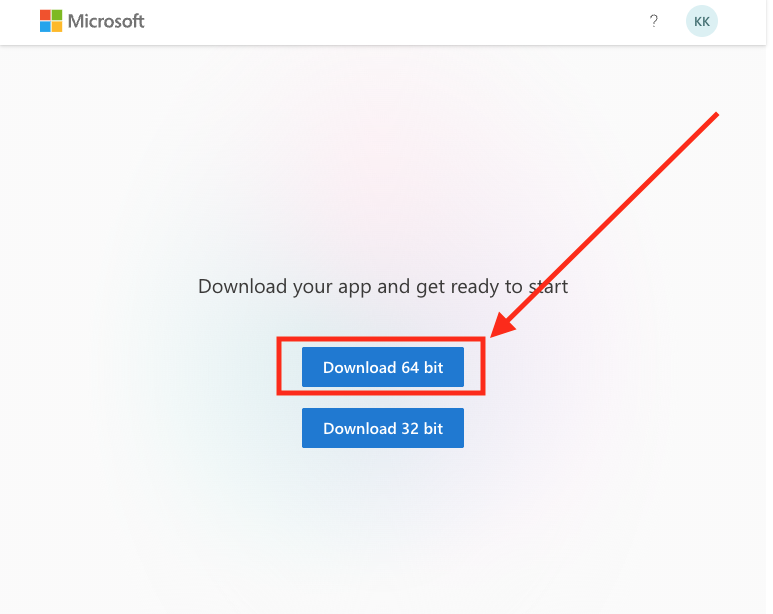
- Click Install (choose 64-bit unless you need 32-bit)
- Run OfficeSetup.exe and wait for installation to complete
- Open any Office app (Word / Excel)
Step 4: Activation (Phone Method Only)
This is the mandatory activation method. Follow the steps below carefully.
If the Activation Wizard doesn't appear automatically:
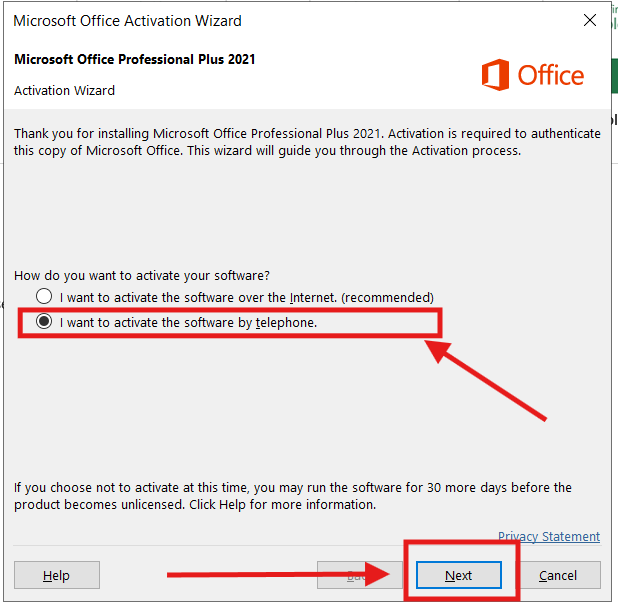
Open Word/Excel → File Menu → Accounts → Click Activate Product
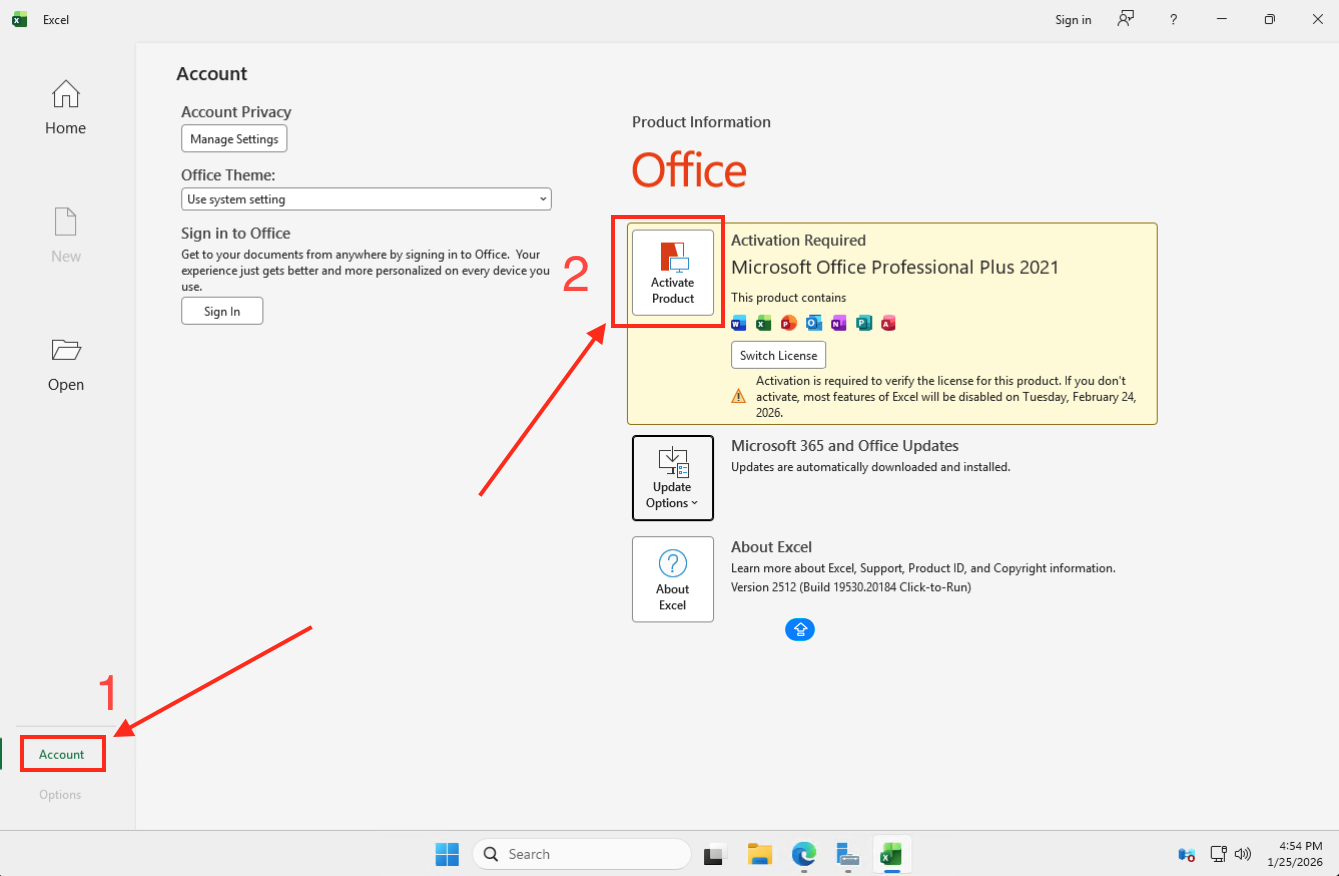
Select: "I want to activate the software by telephone" and click Next
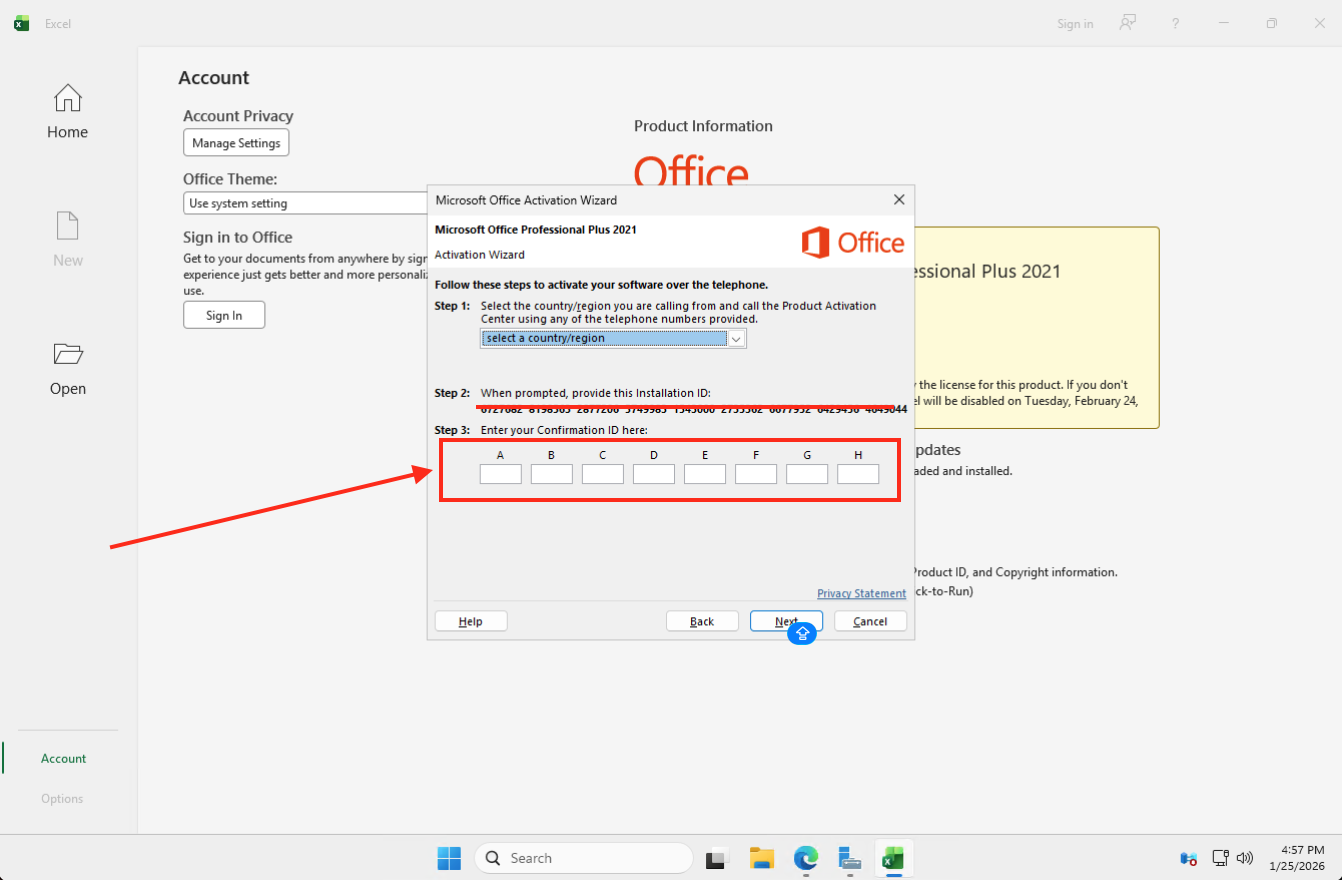
Copy the 63-digit Installation ID shown on your screen
- Enter your Installation ID
- Enter your Amazon Order ID
- Click ACTIVATE and wait 2-3 minutes for the Confirmation ID
Enter the Confirmation ID in the Office app (column by column)
Office 2021 Activated!
Your Office Professional Plus 2021 is now activated for lifetime!
Register for FREE Warranty
Get lifetime technical support & remote desktop assistance