
WINDOWS 10/11 HOME TO PRO UPGRADE
Follow these instructions to upgrade your Windows Home edition to Professional.
Important
Please redeem the license within 1 month from date of purchase.
Open Activation Settings
Go to Start → Settings → System → Activation → Update product key → Change product key → Click Change
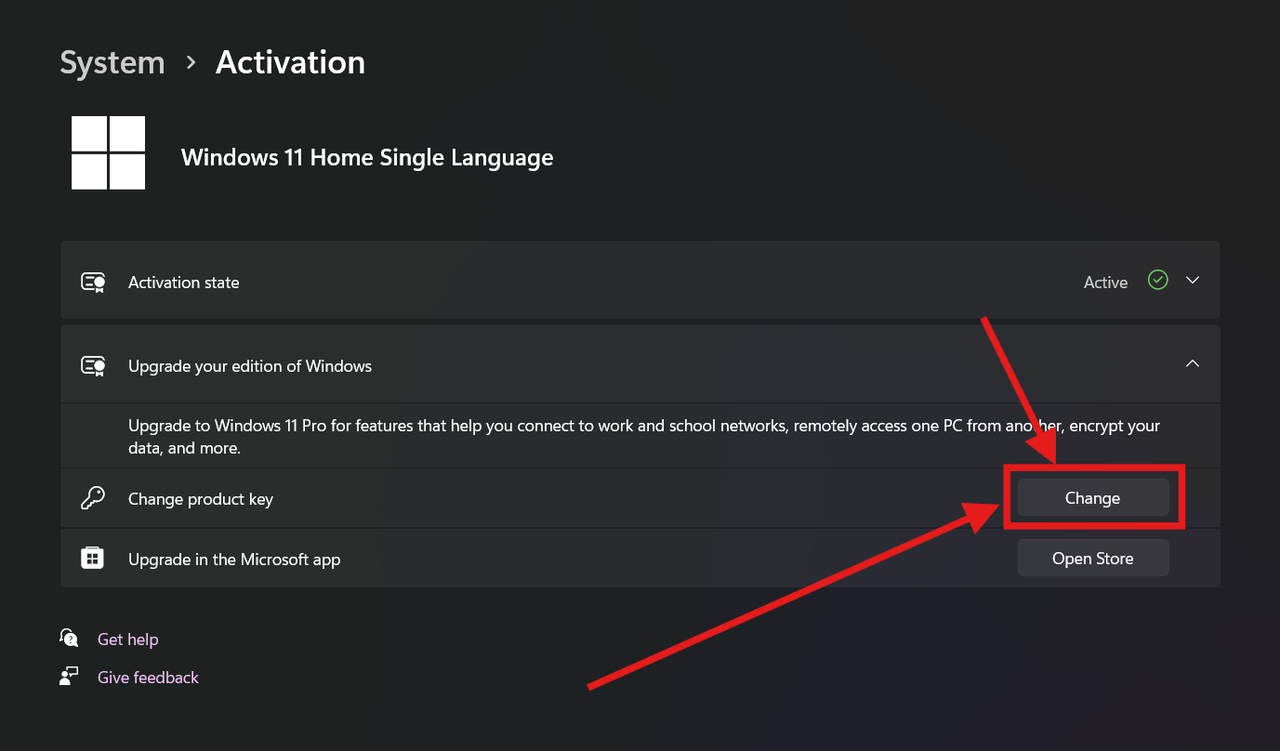
Enter Upgrade Edition Key
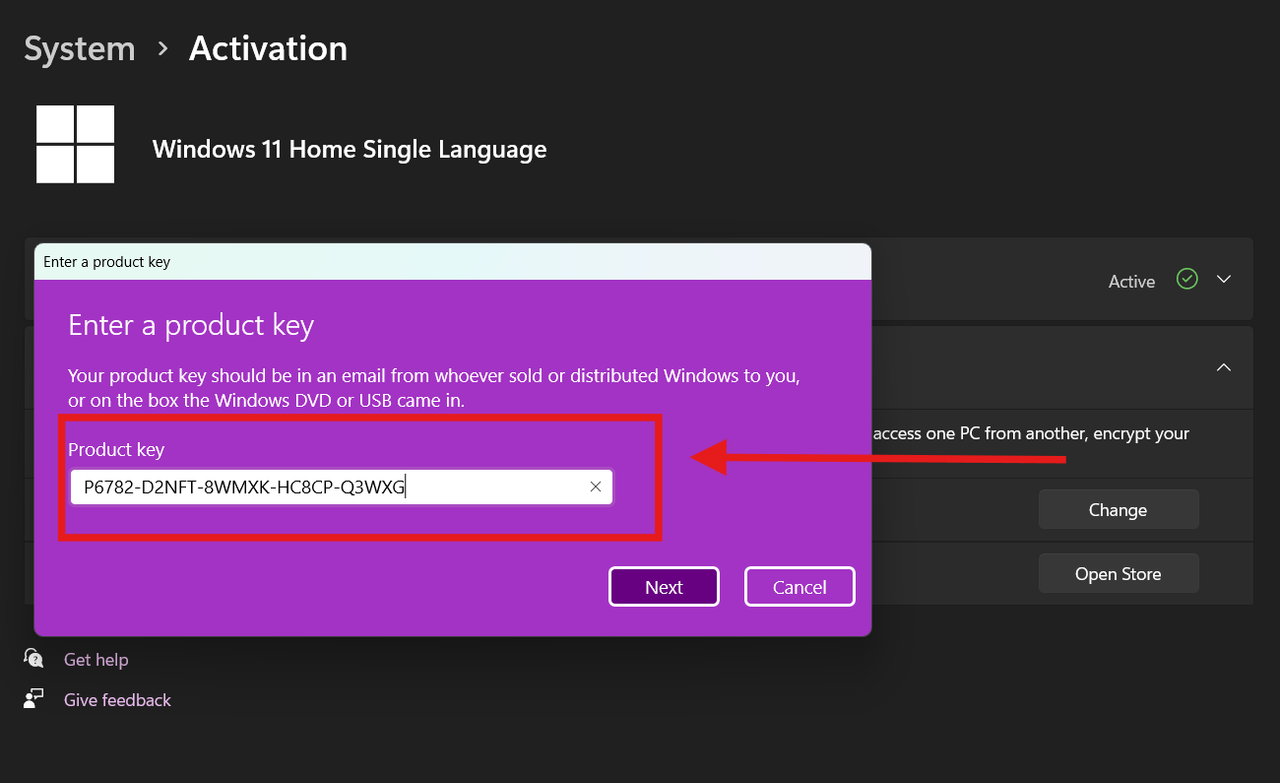
Enter the Upgrade Edition Product Key first. Your system will start downloading & installing the Professional version (approx 30-45 mins)
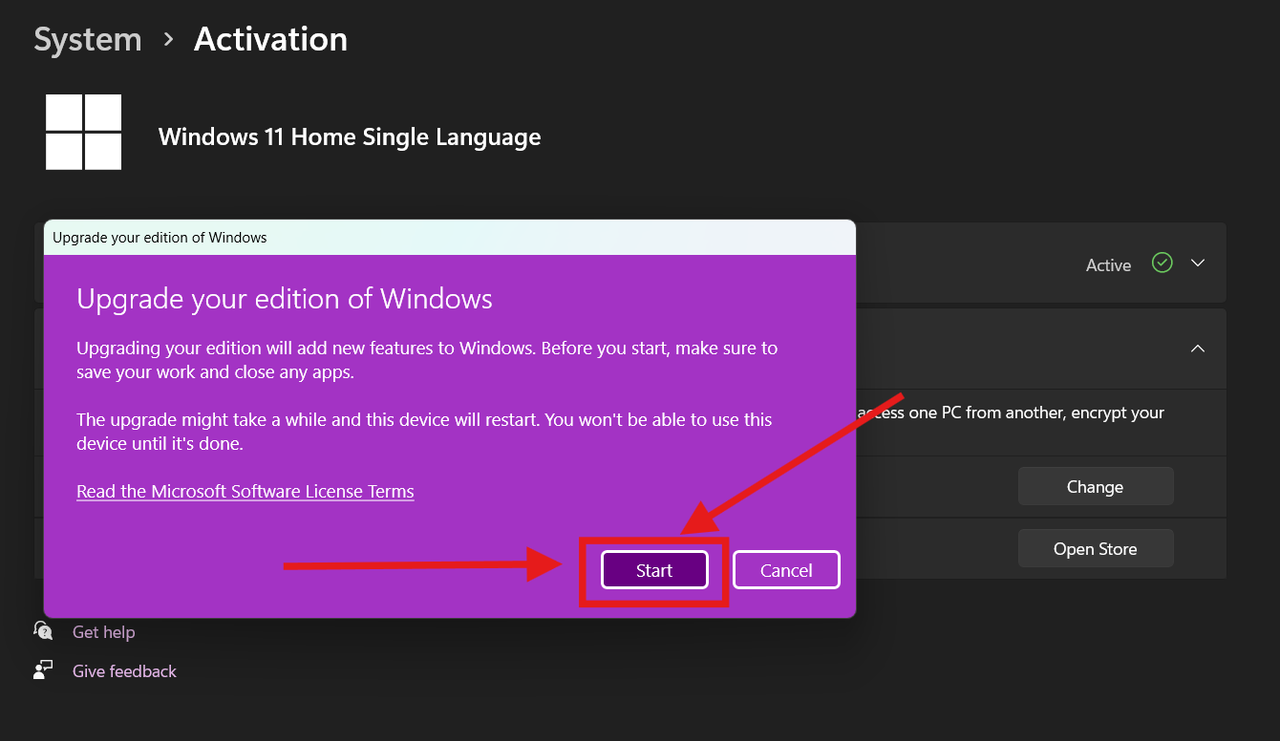
Click Start
Click Start to begin the upgrade process
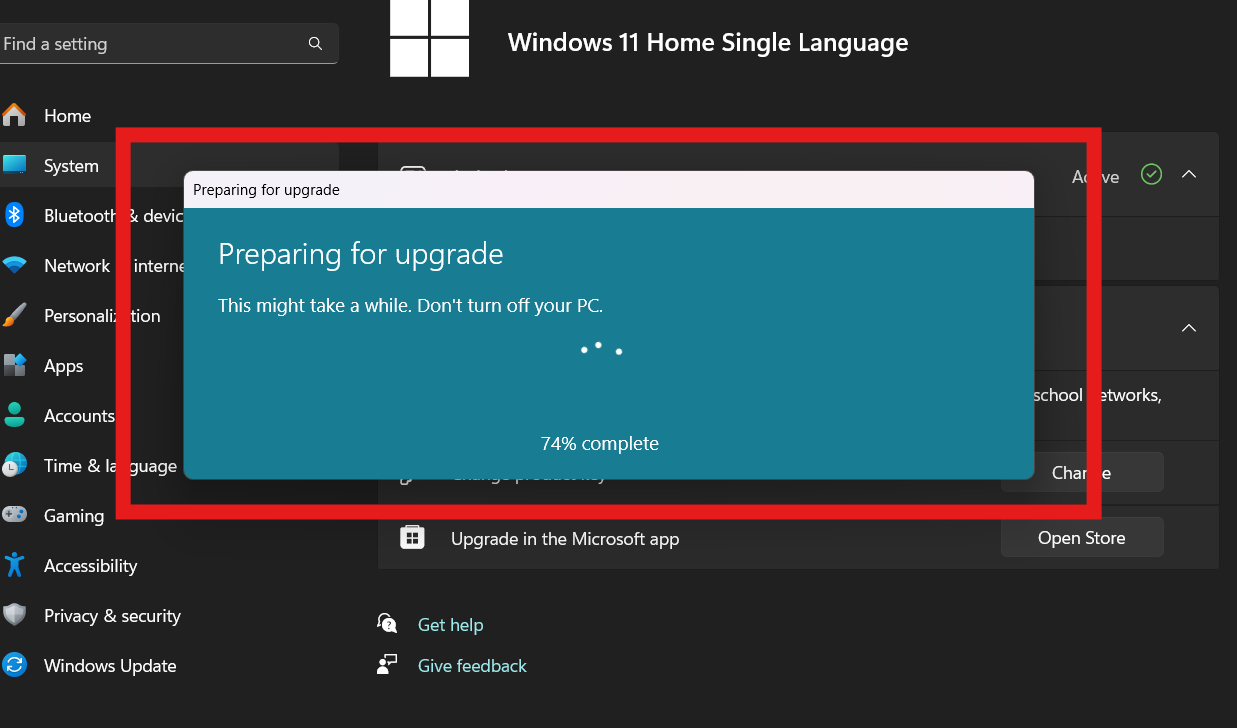
Wait for Upgrade
Wait 30-45 minutes for the upgrade to complete
Expected Error: 0x80072EE7
You will face an error with code 0x80072EE7 - DON'T WORRY, this is normal!
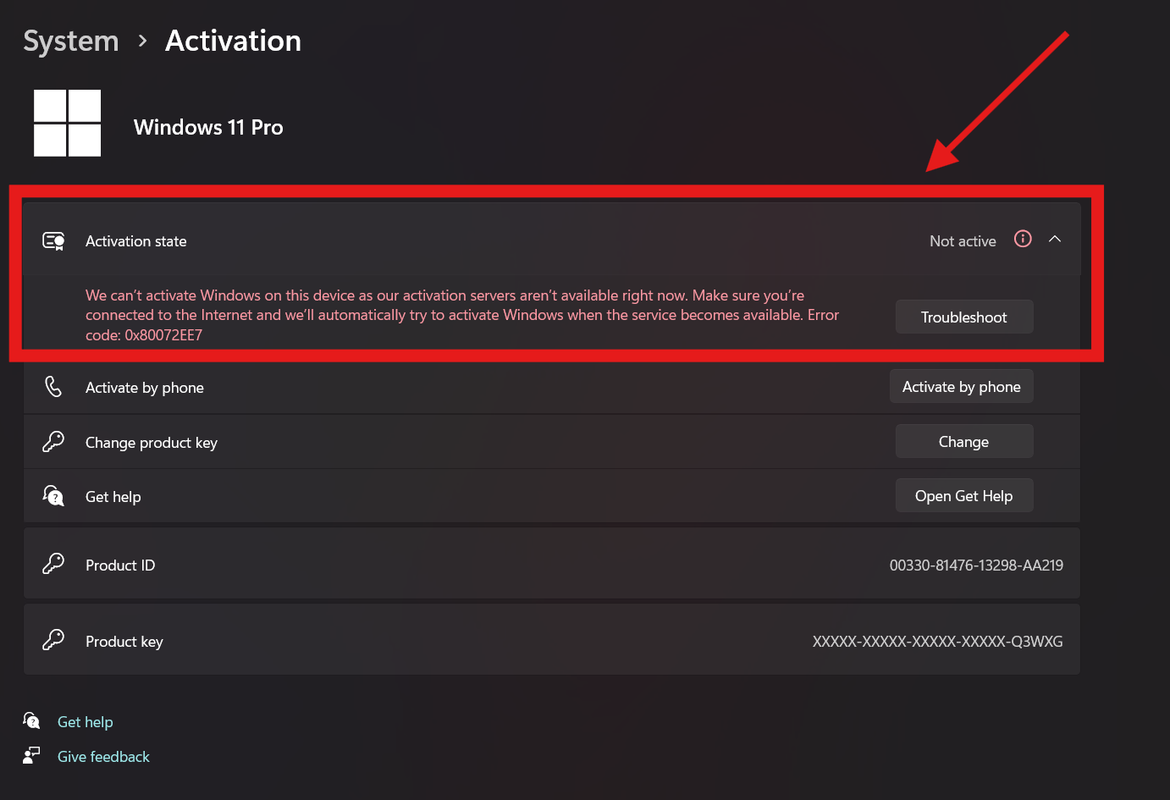
Click Change Again
Click on "Change" in Change Product Key option
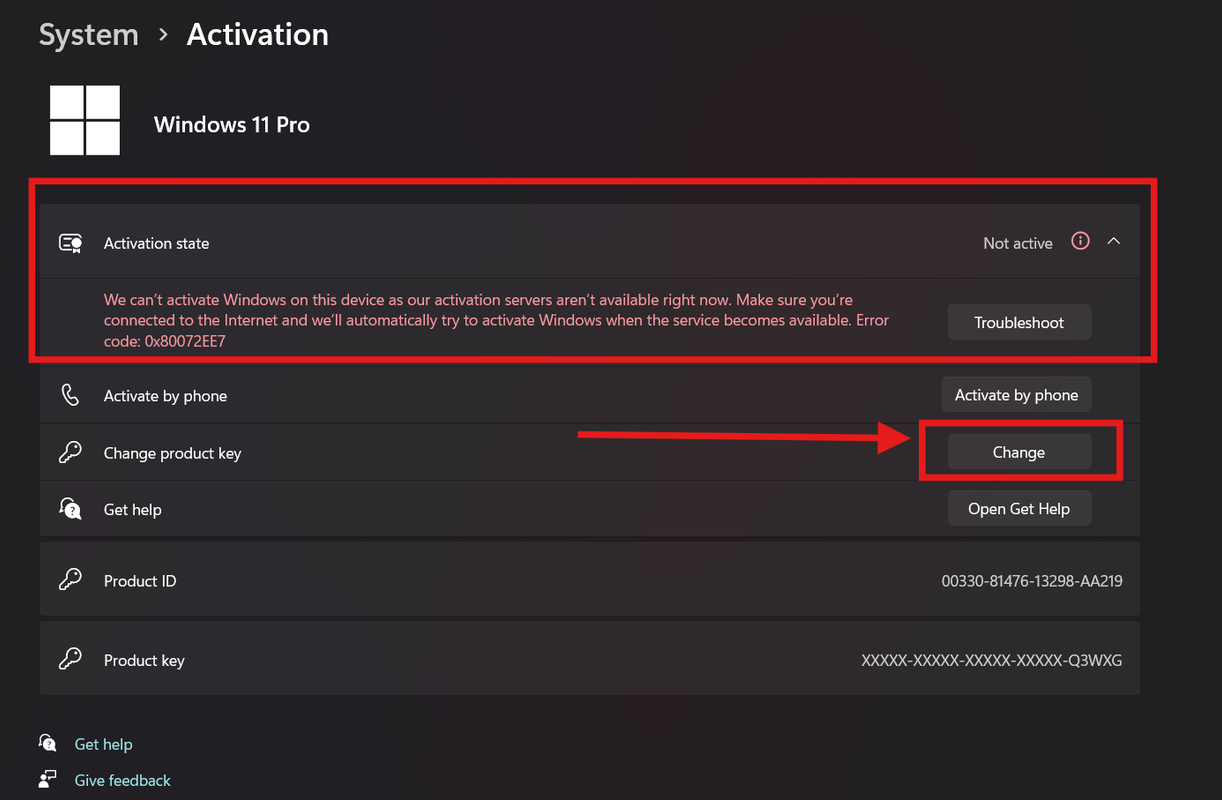
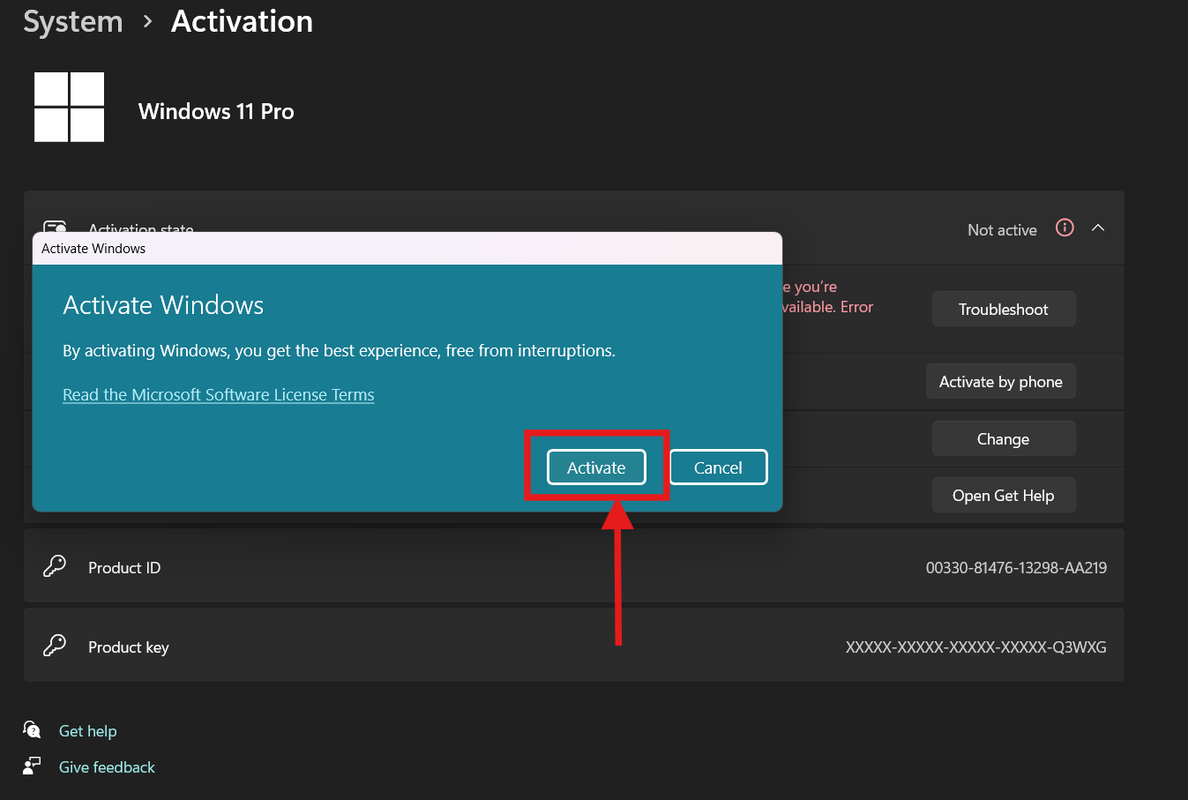
Enter Activation Key
This time, insert the Activation Key and click Activate
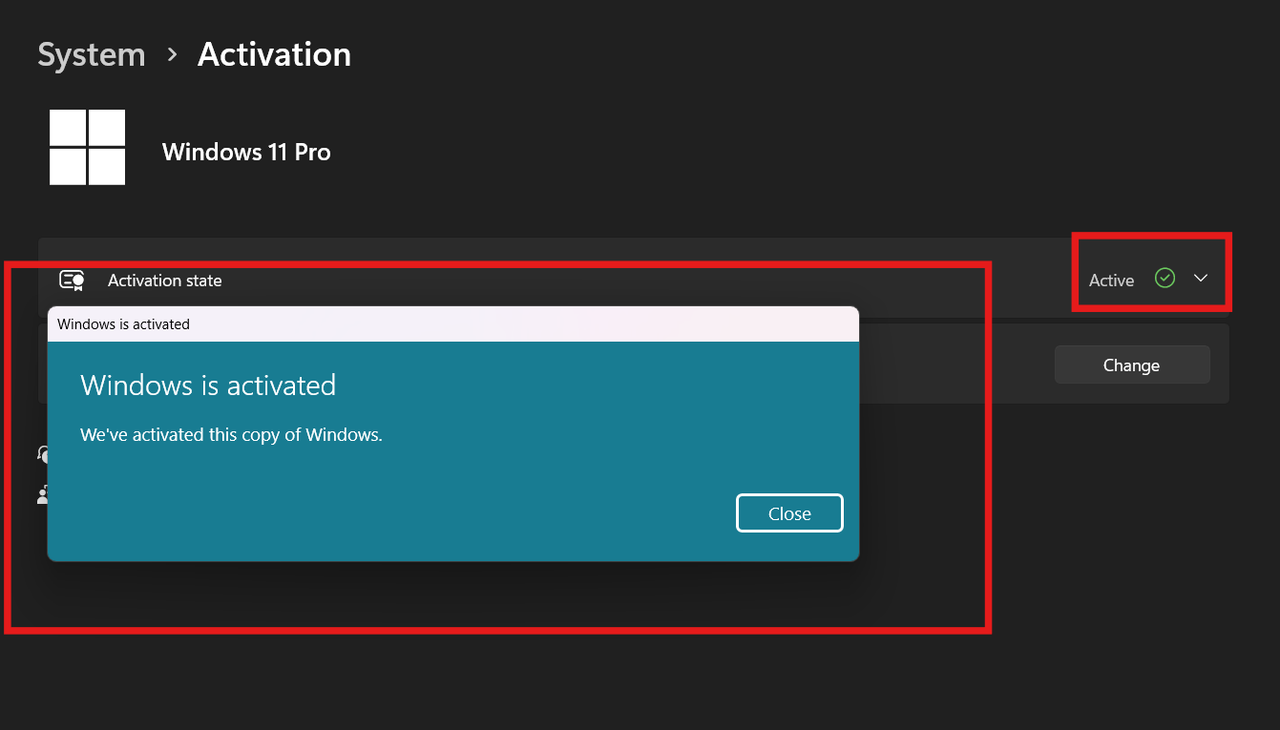
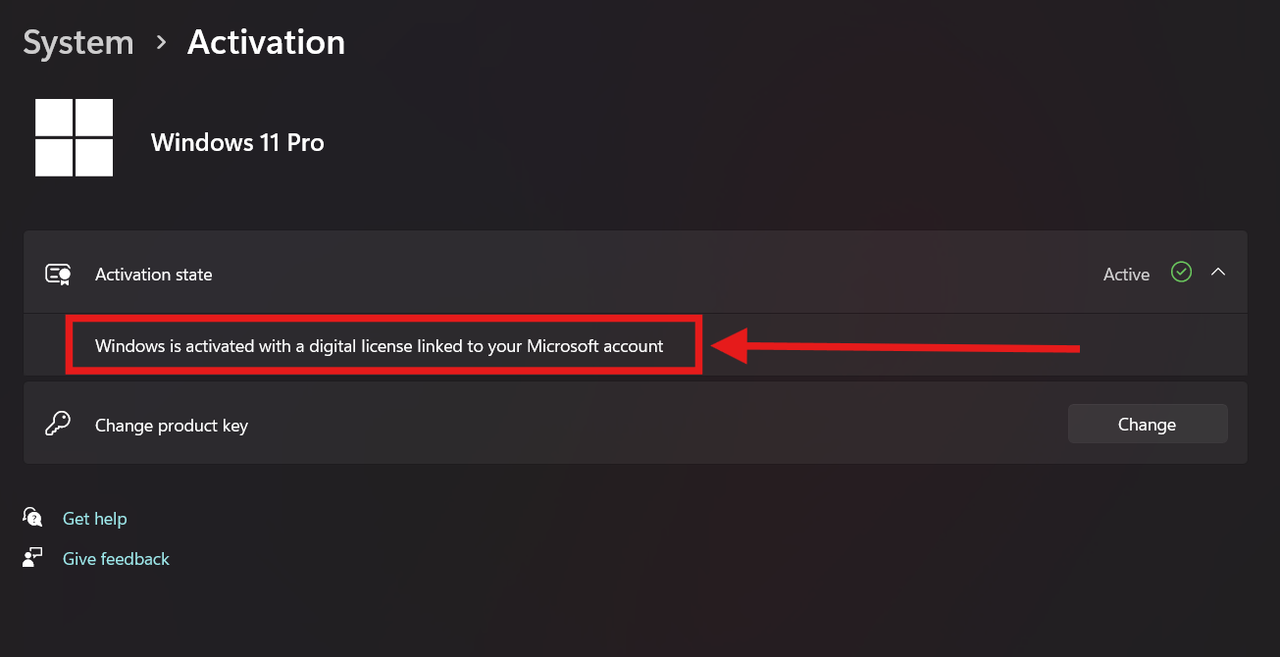
Windows Activated!
Your Windows 11/10 Professional is now activated!
Common Troubleshooting Steps
If you face issues like "unable to reach windows services" (Error Codes: 0x80070422, 0x80072ee2, 0x80072EE7)
Fix Windows Services:
- Search "Services" on Search Bar → Click on Services
- Find: Windows License Manager Service, Windows Update, Windows Event Log, Windows Event Collector, Windows Time
- All must be in Running status with Automatic startup type
- If not, right-click → Properties → Set to Automatic → Start → Apply
Error 0xc004f050:
This is due to Windows 'N' edition or previous organization activation. You need to perform a fresh Windows reinstallation.
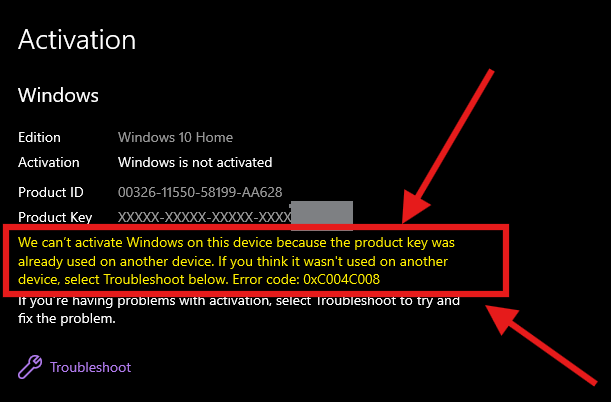
Error 0xc004c008 - Phone Activation:

- Press Windows + R → Type
slui 4→ Enter - Select your country (e.g., India) → Click Next
- Note your 63-digit Installation ID
- Enter Installation ID on the GetCID activation page
- Wait 2-3 minutes for Confirmation ID
- Enter Confirmation ID → Windows Activated!
Register for FREE Warranty
Get lifetime technical support & remote desktop assistance